

Think your TV options could be better? YouTube TV is changing the way we watch live channels. With more than 100 channels, from sports and local news to family shows, it breaks away from old cable routines. Plus, unlimited DVR makes recording your favorites simple, and every family member can enjoy their own device. Today, we explore how YouTube TV delivers a fresh, modern, and practical streaming experience.
Meta: Discover how YouTube TV revolutionizes live streaming with a fresh channel lineup and unlimited DVR.
Overview of the YouTube TV Channel Lineup
YouTube TV gives you access to more than 100 live channels. You get sports, news, entertainment, lifestyle, and kids shows all in one place. The base plan costs $73 per month in 2026, making it a solid alternative to traditional cable. Local channels like ABC, CBS, FOX, and NBC show up in most U.S. areas, so you don’t miss out on regional or national broadcasts. Plus, with unlimited DVR, you can record and rewatch your favorite programs any time.
Built with families in mind, YouTube TV lets you stream on up to three devices at once and supports six individual profiles. This means every family member gets a tailored viewing guide and channel lineup. The integrated channel guide makes finding current and upcoming shows a breeze on smart TVs, tablets, or smartphones. With its diverse content and flexible streaming choices, YouTube TV stands out as a user-friendly streaming service.
Meta Description: Discover YouTube TV's 100+ live channels, unlimited DVR, and family-friendly features for just $73 per month.
| Category | Example Channels |
|---|---|
| Sports | ESPN, NFL Network |
| News | CNN, MSNBC |
| Entertainment | AMC, FX |
| Lifestyle | HGTV, Food Network |
| Kids | Disney Channel, Nickelodeon |
| Local Affiliates | ABC, CBS |
Sports Channels in the YouTube TV Lineup
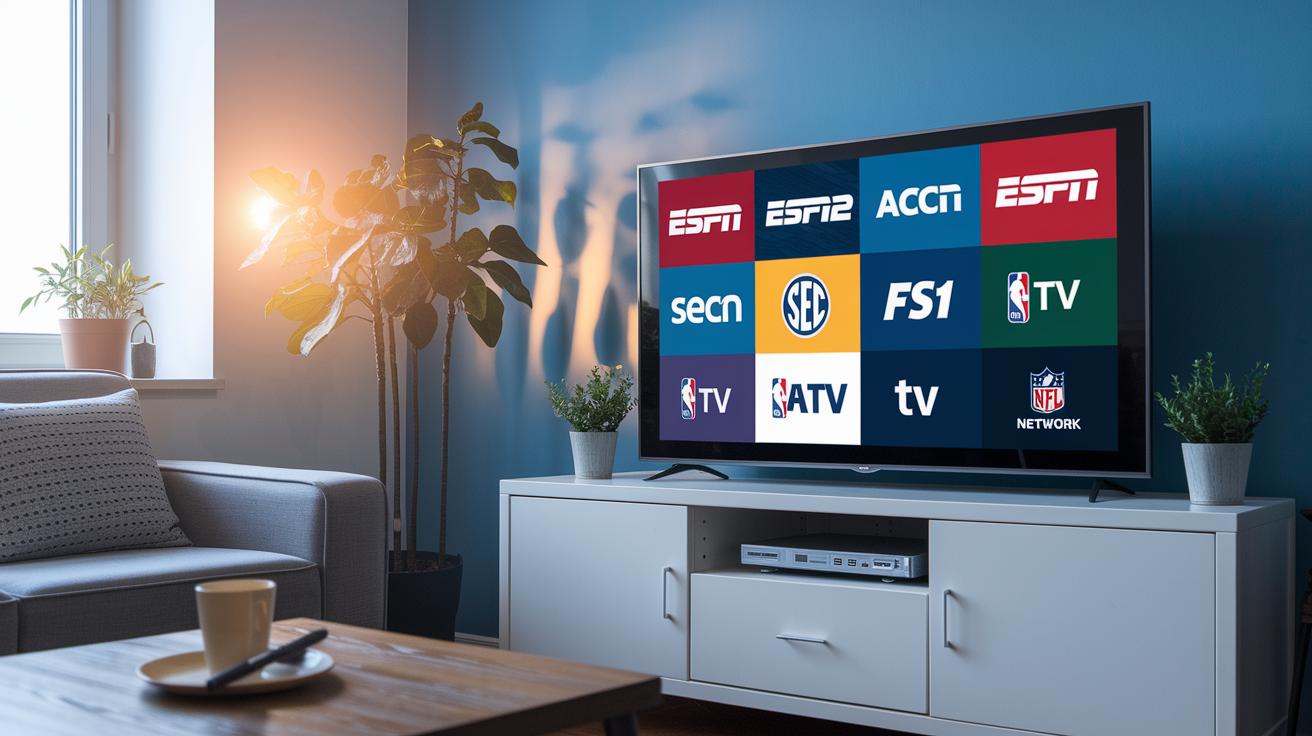
YouTube TV offers an impressive lineup for sports fans. Top channels like ESPN, ESPN2, ACC Network, SEC Network, FS1, NBA TV, and NFL Network give you live games, expert analysis, and full coverage, from major leagues to college matchups. The simple channel guide makes it easy to jump into live events or catch up on highlights.
For fans who want more, the Sports Plus add-on brings NFL RedZone and other niche networks right to your screen. This extra option is perfect for catching every exciting play, even when the main channels are busy.
Enhanced features like live score overlays and grid filtering take your experience up a notch. The guide shows real-time schedules and scores, so you can quickly spot live games. With grid filtering, finding exactly the match you want is just a tap away.
YouTube TV Channel Lineup: Exciting Options Ahead
YouTube TV features a robust mix of national news channels. Major networks like CNN, MSNBC, Fox News, CNBC, and BBC World News give you live coverage, real-time updates, and smart analysis. When a big story breaks, you get instant live feeds to stay informed.
Local news is just as well covered. In most areas, YouTube TV connects you to channels like ABC, CBS, FOX, and NBC. Enter your zip code during setup and the lineup adjusts automatically. This lets you catch community news and local weather updates easily.
The on-screen guide is simple and clear. It shows real-time start times alongside upcoming programs so you can plan your viewing. With a quick glance, you can switch between national coverage and local updates as events unfold.
Entertainment and Lifestyle Channel Highlights on YouTube TV
YouTube TV now features a new lineup of channels that serve up binge-worthy dramas, funny comedies, and lifestyle shows to inspire you. Picture settling in for the evening with each channel offering its own twist on what you love.
Networks like AMC and FX deliver action-packed series with bold visuals, while Bravo serves quirky reality shows and offbeat documentaries. E! brings you the world of celebrity and red-carpet glitz. Imagine enjoying a suspense-filled thriller on AMC followed by exclusive backstage moments on E!.
Lifestyle channels add even more flavor. HGTV sparks creative home ideas, TLC and Food Network invite you to try fun recipes and cooking contests, Discovery uncovers real-life wonders, and Lifetime presents heartfelt dramas. Consider how HGTV might inspire your next home makeover while Food Network dares you to try something new.
Built-in search, filters, and personalized watchlists make it easy to find your next favorite show. Imagine using a simple grid layout to pick out your next binge-worthy series in just a few clicks.
Local Channels and Regional Variations in the YouTube TV Channel Lineup
YouTube TV automatically rotates local stations like ABC, CBS, FOX, NBC, and sometimes CW or MyNetworkTV to match your region. The on-screen guide updates channel spots smoothly, much like shuffling a deck of cards. One minute you’re watching a national feed, and the next, your local broadcast takes over. For example, the lineup can shift during prime time just like a halftime change in a sports game.
Sometimes, local blackout rules and licensing deals change which channels you see. When restrictions apply, some channels are swapped for alternate feeds to meet local rules and keep you within guidelines.
Premium Add-Ons and Customization Features in the YouTube TV Channel Lineup

YouTube TV ramps up your streaming with premium add-ons like Max, Showtime, and Starz for extra movies and series, plus Sports Plus featuring NFL RedZone for nonstop sports action. If you’re craving sharper visuals, the 4K Plus upgrade brings your favorite shows to life in stunning detail.
The channel guide is built to suit your style. You can rearrange channels, create custom profiles, and set up favorite lists to craft a viewing menu just for you, whether you’re watching on a smart TV, tablet, or phone.
Looking ahead to 2025, expect grid layout tweaks and new regional feeds. Enhanced live TV menu settings and smarter profile management will make finding your shows even easier. YouTube TV is always evolving to offer a flexible, user-friendly streaming experience.
Meta Description: YouTube TV enhances your streaming experience with premium add-ons, customizable guides, and upcoming grid layout updates for smarter viewing.
Frequently Asked Questions About the YouTube TV Channel Lineup
Q: How many devices can stream simultaneously?
A: You can watch on three devices at once. Plus, your home can have up to six personalized accounts.
Q: Is DVR storage limited?
A: No way. Every subscriber gets unlimited DVR storage, so recording your favorite shows is stress-free.
Q: Can I watch outside the U.S.?
A: Yes, you can tune in when you're abroad if you use a VPN. Just keep in mind that some regional limits might apply.
Q: How do I add premium channels?
A: Adding premium channels is simple. Just head to the "Add-Ons" tab in your account settings and choose what you want.
Q: How often does the lineup update?
A: The lineup gets refreshed every week with new schedules, and extra packages are added every quarter to keep things fresh.
Final Words
In the action, we explored every angle of the youtube tv channel lineup. The post covered sports, news, entertainment, lifestyle, and local affiliates, along with premium add-ons and straightforward FAQs.
Each section paints a clear picture of a service packed with over 100 live channels, unlimited DVR, and customizable features that make streaming simple. The guide offers practical insights that keep you informed and ready for your next watch. Enjoy the vibrant, hassle-free experience this service delivers.
FAQ
What is the YouTube TV price?
The YouTube TV price is $73 per month for the base plan, offering over 100 live channels, unlimited DVR, and support for multiple streams with up to six personalized user accounts.
How does the YouTube TV channel lineup vary by ZIP code?
The YouTube TV channel lineup varies by ZIP code because local affiliates like ABC, CBS, FOX, and NBC depend on your region, ensuring you see channels available in your area.
What YouTube TV packages are available?
The YouTube TV packages include a solid base plan along with optional add-ons such as Sports Plus, premium movie channels, and 4K streaming upgrades to enhance your viewing options.
How is the YouTube TV guide channel list organized?
The YouTube TV guide channel list is organized by categories, grouping channels by genres like sports, news, and entertainment, rather than a strict alphabetical order, which makes browsing simple.
Is there a YouTube TV channel guide PDF available?
The YouTube TV service does not offer an official channel guide PDF, relying instead on its interactive on-screen guide to provide users with current, updated channel listings.
Are YouTube TV channels free with the subscription?
With your YouTube TV subscription, the entire channel lineup is included at no extra cost, giving you complete access to live television without additional fees.
How do I view the channel lineup on YouTube TV?
You can easily view the channel lineup on YouTube TV by opening the app or website and selecting the guide tab, where channels are grouped into clear categories for effortless browsing.
What is the downside of using YouTube TV?
The downside of using YouTube TV includes occasional regional channel restrictions, a few gaps in niche sports coverage, and variations in local affiliate availability based on your geographic location.
Which channels are not available with YouTube TV?
Some niche international channels, specialty networks, and premium movie channels are not available with YouTube TV since the service focuses on mainstream sports, news, entertainment, and local affiliates.
Does YouTube TV offer a station guide?
YouTube TV offers a station guide that displays live broadcasts and upcoming programs for both national networks and local affiliates, making it easy to follow your preferred shows.