

Ever wonder how streaming can be smooth and hassle-free? HLS streaming adjusts to your internet speed so your shows run without a hitch. Launched in 2009, it breaks videos into small pieces using simple web protocols. This method helps your favorite programs play steadily even when network speeds change. Stay with us to see how a flawless setup can make your viewing experience a success.
Meta: Learn how HLS streaming adapts to network changes for a reliable viewing experience.
How HLS Streaming Works to Deliver Adaptive Video
HLS is a streaming protocol created by Apple in 2009 that sends video and audio over standard HTTP/TCP networks. It works smoothly even when internet speeds change because it relies on basic web protocols. This method needs no special hardware, so it fits right into existing online setups. Using HTTP/TCP also helps the content pass through firewalls and CDN servers, making it easy to reach viewers all over the globe.
The system chops up continuous video into short segments of 6 to 10 seconds. A master M3U8 playlist then links to different quality options like 480p, 720p, and 1080p. This adaptive approach lets video players switch quality on the fly as internet conditions change. For example, a viewer might start with a lower resolution and then see the stream upgrade as the connection improves.
HLS runs directly in HTML5 players and works with JavaScript libraries such as hls.js. This makes it compatible with many devices, from smartphones and desktops to smart TVs and set-top boxes. Plus, Low-Latency HLS can reduce delays to under two seconds, an important feature for live broadcasts. With its mix of adaptable quality, broad compatibility, and low delay, HLS stands out as a solid choice for both live and on-demand video worldwide.
hls streaming: Smooth Setup For Media Success

Live video feeds go to encoders like FFmpeg or GStreamer using protocols such as RTMP or RTSP. These encoders turn raw video into digital streams ready for HLS. The origin servers then take these streams, chop them into small segments (using .ts or fMP4 formats), and create M3U8 master playlists that list out different quality options. For example, a live broadcast may offer several quality levels so viewers can enjoy smooth playback even with changing internet speeds.
After the origin server processes the content, content delivery networks (CDNs) like AWS CloudFront or Akamai cache the media segments and send them out all over the world. This method makes sure live media reaches viewers quickly and without hiccups. HTML5 and JavaScript players, like hls.js, grab these playlists and segments over steady HTTP/TCP connections, ensuring the stream plays nicely on various devices. Here’s a quick breakdown of the key parts in this streaming setup:
| Component | Role | Example Tool |
|---|---|---|
| Video Encoder | Turns raw feeds into HLS-ready streams | FFmpeg |
| Origin Packager | Breaks streams into segments and creates M3U8 playlists | Wowza Streaming Engine |
| CDN | Caches and sends out media segments worldwide | AWS CloudFront |
| Client Player | Fetches and plays the HLS stream | hls.js |
Crafting M3U8 Playlists and Segmenting Media for HLS Streaming
Master playlists are the foundation of HLS streaming. They list different playlists for various bitrates and resolutions so players can choose the best option. Each master playlist points to several manifests that use EXTINF tags to set the length of each segment. These segments usually come in .ts or fMP4 containers. For instance, you might see a master playlist start with "#EXTM3U" and then a line like "#EXT-X-STREAM-INF:BANDWIDTH=800000,RESOLUTION=640×360" to show a lower quality stream. This setup helps the player pick the right stream based on your network speed and keeps the stream steady when conditions change.
Live streaming uses a sliding window that shows only the newest segments for real-time updates. On the other hand, video-on-demand playlists include every segment from the start, ensuring smooth playback. Players keep checking the manifest to grab the latest segments and adjust quality on the fly. Keeping the manifest refresh rate in check is crucial, especially for live content, so changes show up quickly. Overall, smart manifest management and clear segmenting methods help HLS work reliably on all kinds of devices and networks.
Optimizing HLS Streaming Performance and Latency

Cutting segment durations from the typical 6–10 seconds down to 1–2 seconds is a proven trick to reduce delay in HLS streaming. Low-Latency HLS pushes this further, achieving delays under 2 seconds at scale while still working with older devices. Optimized adaptive bitrate ladders let the stream switch quickly between resolutions, and getting playlists ready ahead of time (manifest pre-warming) cuts down on bitrate-switch delays. Features like CDN edge caching and HTTP/2 multiplexing lower round-trip times for segment requests, making transitions smoother and the streaming experience more responsive.
Good buffer management and fine-tuning TCP settings are just as important. These adjustments help ensure data packets arrive in the right order without any glitches, which minimizes playback interruptions. For instance, during live events, a well-tuned buffer combined with robust TCP settings can handle network fluctuations seamlessly. Stream operators who focus on these low latency techniques offer viewers an almost instantaneous experience, crucial for live broadcasts and interactive content. These simple methods deliver streaming performance that balances speed and reliability, meeting the high expectations of today’s audiences.
Securing HLS Streams with Encryption and DRM
HLS streaming protects every video segment by using AES-128 encryption with EXT-X-KEY tags in the playlists. By pairing this with HTTPS transport, the data stays encrypted as it moves over networks. This setup makes it hard for unauthorized folks to intercept or mess with the stream. It builds trust among content providers and viewers while meeting tight industry standards.
DRM tools like Apple FairPlay keep a tight rein on who can view streams. They switch encryption keys on a regular basis and set rules that block unapproved playback. Adding token-based authentication and signed URLs puts extra locks on the content, letting only those with permission watch. Encrypting captions and alternate audio tracks also helps protect both the sound and video, ensuring full compliance.
- AES-128 encryption with EXT-X-KEY tags in playlists
- HTTPS transport to secure data delivery
- DRM tools like Apple FairPlay for regular key rotation
- Token-based authentication and signed URLs for extra security
- Encrypted captions and alternate audio tracks for compliance
Comparing HLS Streaming with Alternative HTTP Protocols
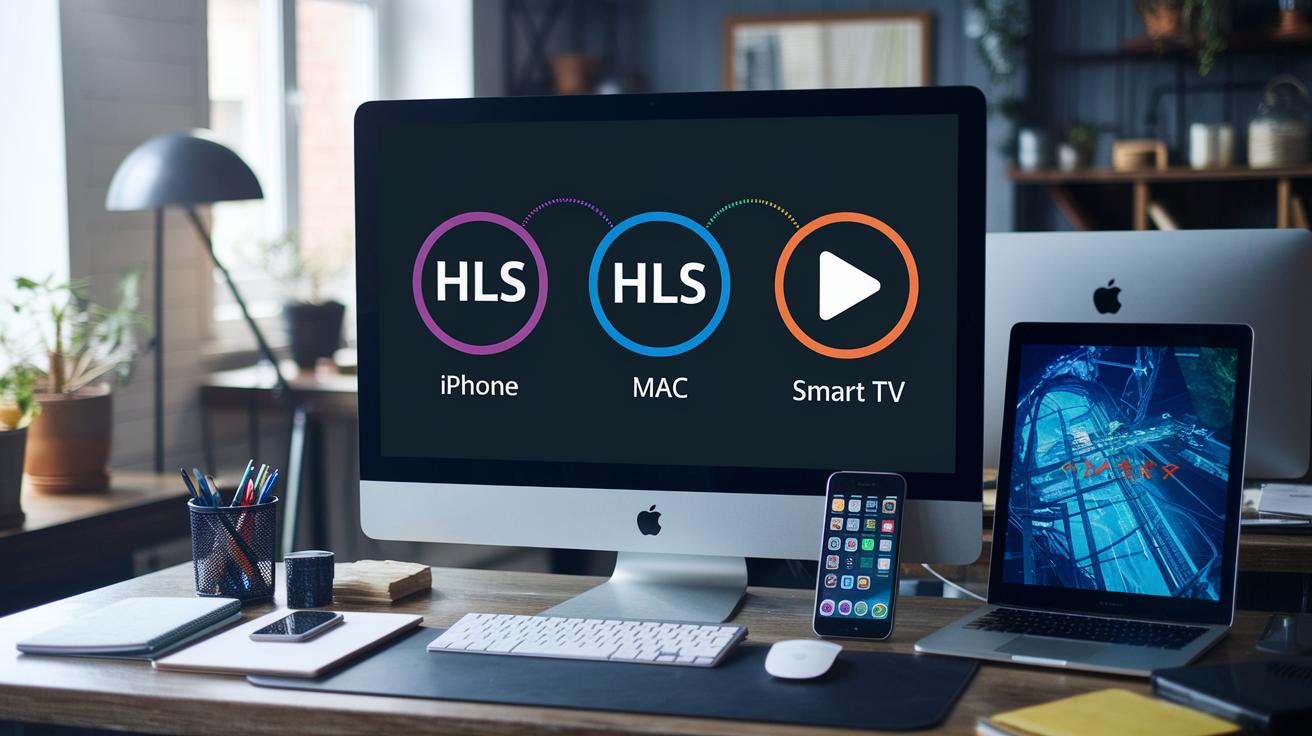
HLS is known for its wide support on many devices. It works especially well on Apple devices because it is built right into the system. It uses M3U8 playlists and standard HTTP/TCP protocols to deliver streams that can adjust to changing network conditions.
MPEG-DASH, on the other hand, uses MPD files and fragmented MP4. Although browser support is growing, it still does not match HLS when it comes to quick compatibility. Protocols like RTMP and RTSP promise a faster start, but they depend on old Flash technology or risk losing data packets with UDP.
HLS also uses AES-128 encryption with Apple FairPlay DRM to keep content secure. Its reliance on HTTP scaling makes it a smart pick for large live broadcasts.
While RTMP and RTSP might start quicker, problems with data loss and ongoing maintenance make them less attractive. HLS works well with content delivery networks (CDNs) because standard HTTP makes caching and global distribution easier. This keeps streams stable by automatically adjusting quality as network speeds change.
In short, each protocol has its strengths. However, HLS stands out today thanks to its safety features, scalability, and broad device compatibility.
Deploying HLS Streaming with Open Source Servers and Players
To kick things off without spending a fortune, try using free HLS origin servers like Nginx with the RTMP module or MistServer. These servers grab live video from your cameras and microphones while working with encoding tools such as FFmpeg and GStreamer. The encoders take your raw footage, prepare it for HLS streaming, and chop it into smaller segments that can be sent over HTTP/TCP. For instance, install Nginx with the RTMP module, set it up to accept a live feed, and build your environment for HLS packaging.
Once your server is up, the next step is to package your media. Tools like FFmpeg or GStreamer process the live feed, converting and splitting the video into .m3u8 playlists and short media clips. You can also use Node.js/npm packages to automate the process by managing manifest updates and testing broadcast URLs. In practice, feed your live stream into FFmpeg, let it create the .m3u8 files and segments, and use scripts to keep the updates rolling as your stream goes live.
Finally, add playback functionality by embedding JavaScript libraries like hls.js or Video.js into an HTML5 page. These libraries help browsers fetch and play live streams smoothly. For example, add hls.js to your webpage, connect it to your server’s HLS URL, and enjoy adaptive streaming on a range of devices.
Final Words
In the action, the article broke down how hls streaming transforms video delivery. We explored Apple’s HTTP-based method, covering segmenting content, master playlists, and adaptive bitrate switching. The pieces on CDN use, low-latency techniques, and secure encryption made the technical side approachable. Open source tools and seamless player integration rounded out the discussion. This guide offers a clear picture of how these systems work together to bring smooth, reliable live streaming, leaving us upbeat about the future of adaptive video delivery.
FAQ
What is HLS streaming download and HLS streaming URL?
The HLS streaming download and URL refer to accessing media segments via HTTP links that enable users or apps to retrieve video content, often supporting adaptive bitrate for smooth live or on-demand playback.
What is an HLS streaming server?
The HLS streaming server manages the packaging of video content into segments and M3U8 playlists, delivering them over HTTP to support adaptive bitrate streaming across various devices.
What is an HLS player?
The HLS player processes M3U8 playlists and video segments, dynamically switching quality levels based on network conditions to ensure a smooth and uninterrupted viewing experience.
Can you provide an HLS streaming example?
An HLS streaming example involves dividing video into 6–10 second segments, serving them through an M3U8 playlist, and allowing clients to choose the best quality version based on current bandwidth.
What is an HLS streaming extension?
The HLS streaming extension enhances browsers or applications to support HLS protocols, allowing native adaptive bitrate video playback without needing extra plugins or external software.
What is an HLS streaming app?
An HLS streaming app leverages the HLS protocol to deliver video content on mobile or desktop platforms, ensuring adaptive bitrate delivery and smooth playback through built‑in or web‑based players.
How does DASH compare to HLS streaming?
DASH and HLS streaming differ mainly in their formats and compatibility; DASH uses MPD files and offers growing browser support, while HLS is widely adopted, especially on Apple devices, due to native integration.
What does HLS mean in streaming?
HLS means HTTP Live Streaming, a protocol developed by Apple that splits video into short segments served over HTTP, enabling adaptive bitrate adjustments for a reliable streaming experience.
Does Netflix use HLS?
Netflix employs multiple streaming protocols tailored to specific devices; while HLS is common on Apple platforms, Netflix also uses other methods to optimize quality and efficiency across its service.
How can you fix an HLS stream error?
Fixing an HLS stream error typically involves checking network connectivity, ensuring proper server and playlist configurations, and verifying that media segments are correctly packaged and accessible.
Is HLS better than MP4?
HLS provides adaptive bitrate streaming over HTTP by adjusting quality in real-time, unlike a static MP4 file; this adaptability often makes HLS more suitable for varying network conditions during live or on-demand streaming.