

Ever feel stuck with cable bundles full of channels you don't watch? Apple TV Channels offers a smart alternative. With 34 add-on services available nationwide, you can pick the perfect mix, blockbuster hits, exclusive originals, or even hidden gems. Each channel costs just a few dollars, so you only pay for what you truly love. Check out this fresh, flexible way to enjoy your favorite shows and movies, one channel at a time.
Apple TV Channel Lineup: Exciting Choices Await
Meta Description: Discover how Apple TV Channels offer a flexible, modern viewing experience that lets you choose only the content you love.
Apple TV Channels debuted in 2019 with Apple TV+ and quickly changed the game. In the United States, there are 34 add-on services that let you dive into endless movies and shows without a cable bundle. While paying for every channel together would run about $213.16 a month, each one costs just between $2.99 and $10.99. This means you pick what fits your mood, whether it's blockbuster hits, exclusive originals, or unique niche programs.
All channels run directly in the Apple TV app on your iPhone, iPad, Mac, or Apple TV. This built-in system makes viewing super simple and can even boost video quality for some channels compared to their standalone versions. Meanwhile, popular streaming options like HBO Max, Hulu, Disney+, Peacock, and Prime Video stay on their own apps.
Apple TV+ stands on its own with a subscription of $12.99 per month after a 7-day free trial and is also part of the Apple One bundle. Plus, many channels offer free trials or discounts to help you test them out before subscribing. Just note that international payments need a U.S. Apple account. Overall, the Apple TV channel lineup offers a smart, modern cable-free way to enjoy your favorite content.
Genre Breakdown within the Apple TV Channel Lineup
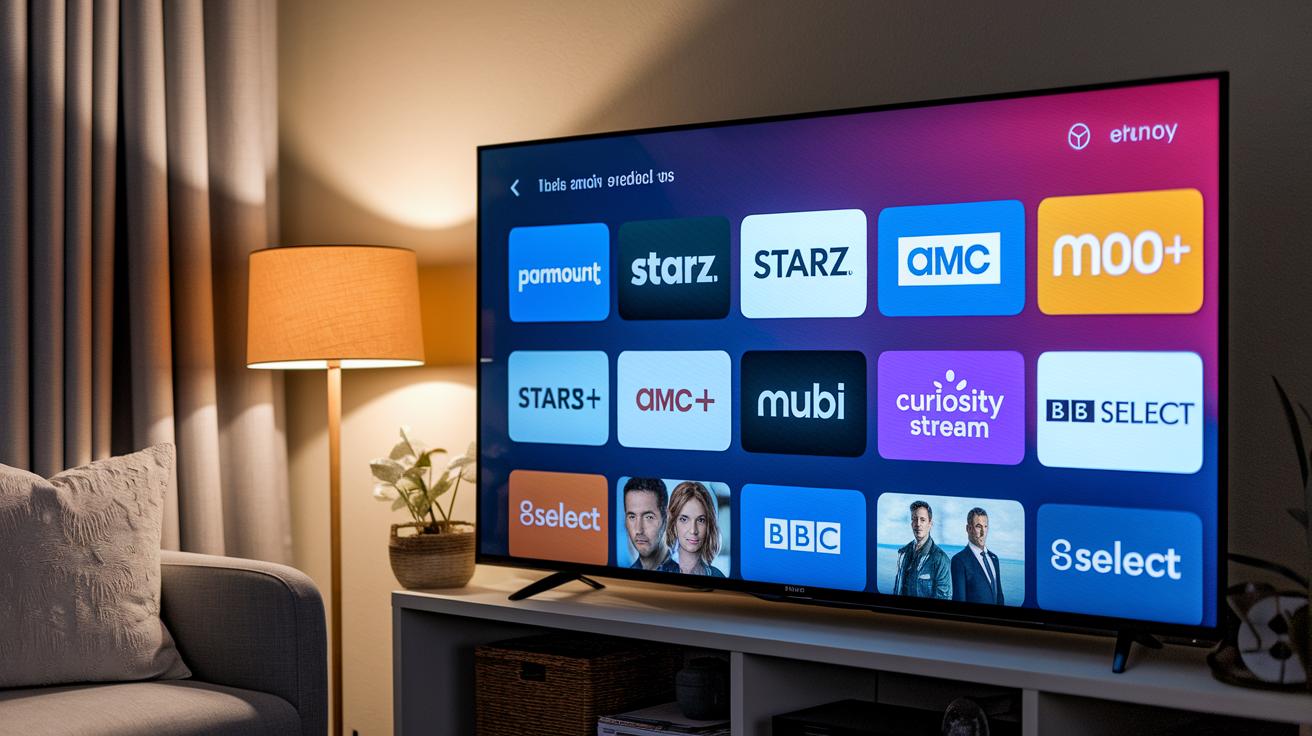
Apple TV Channels give you the freedom to mix and match content for any mood. The lineup is neatly organized by genre, so you can quickly find what you feel like watching, whether it’s film series or kid-friendly picks.
Film & Originals is the star of the show, featuring big names like Paramount+ (formerly CBS All Access), Starz, AMC+, MGM+, and MUBI. These channels deliver blockbuster movies and exclusive originals that grab your attention. Not sure where to begin? Give Starz a try for a blend of timeless classics and fresh, buzz-worthy releases.
Documentaries and Educational channels such as Curiosity Stream, BBC Select, and The Great Courses Signature Collection break down real-world topics into smart, easy-to-digest segments. They’re perfect when you want to learn something new without feeling overwhelmed.
Kids & Family content is bursting with imaginative fun. With channels like Noggin, PBS Living, and Hallmark Movies Now, there’s always something that brings the whole family together, no matter what age you are.
News & Lifestyle channels like ABC News Live and Tastemade keep you in the loop with up-to-the-minute headlines and engaging lifestyle features. And for those with specific tastes, Specialty & Niche channels including MotorTrend, ALLBLK, and Pantaya offer dedicated content, from high-octane automotive shows to vibrant Spanish-language stories.
| Genre | Sample Channels | Price Range |
|---|---|---|
| Movies & Originals | Paramount+, Starz, AMC+ | $4.99–$9.99 |
| Documentaries & Education | Curiosity Stream, BBC Select | $4.99–$6.99 |
| Kids & Family | Noggin, PBS Living | $2.99–$7.99 |
| News & Lifestyle | ABC News Live, Tastemade | Free–$2.99 |
| Specialty & Niche | MotorTrend, ALLBLK | $3.99–$5.99 |
Apple TV Channel Subscriptions and Pricing Options
Using your Apple ID to handle billing makes managing your channels a breeze. It means no more juggling different logins or payment methods. One user shared, "Managing all my subscriptions with one login simplifies my viewing experience," showing just how easy it can be.
Unlike other services that force you to deal with extra steps and multiple passwords, Apple's system works seamlessly across devices. You can hop from one channel to another without missing a beat.
Key benefits include:
- Easy tracking of subscriptions and billing all in one account.
- Flexible bundle options that adjust to your needs.
- Consistent access for international users even when using a US Apple account.
| Aspect | Apple TV Model | Competitor Services |
|---|---|---|
| Billing | Unified via Apple ID | Multiple logins/payments |
| Device Integration | Consistent experience across devices | Varies by service |
| Bundle Flexibility | Customizable package options | Fixed bundles |
Here's an interesting fact: Many subscribers cut the time they spend managing subscriptions in half thanks to unified billing.
Regional Differences in the Apple TV Channel Lineup
United States
In the US, Apple TV delivers a solid lineup of 34 channels that cover almost every taste. Viewers can enjoy top names like ABC News Live, Paramount+, Starz, MGM+, and niche channels such as BET+. This mix spans everything from breaking news to blockbuster films and premium original series. Plans typically range from $2.99 to $10.99 per month, offering a flexible viewing experience. One representative noted that US customers love the wide variety, which is why the top five channels remain favorites.
United Kingdom
In the United Kingdom, the lineup is trimmed down to 28 channels, honed in on British dramas and essential news. Standouts like Al Jazeera English and Britbox deliver high-quality news and entertainment, while Acorn TV adds even more classic British storytelling to the mix. The pricing is similar to the US, but the selection is specially geared toward regional tastes and local news.
Canada
Canada offers around 30 channels that blend local favorites with international hits. Canadian viewers can count on CBC Gem and Sportsnet Now for local content and sports coverage, while still having access to world-renowned programs. This balanced mix means Canadian subscribers enjoy a trusted selection of homegrown shows alongside global blockbusters, all without overwhelming choices.
Optimizing Your Apple TV Channel Lineup Experience
The Apple TV app brings all your viewing options together in one simple guide. It shows upcoming and on-demand content side by side with interactive previews, detailed program info, and live news tickers. You can easily sort your choices by genre, channel, release date, or rating, so picking what to watch is a breeze.
You also get cool customization features. Create watchlists and set notifications so you never miss a new episode or live event. Plus, Apple’s smart recommendation system learns your habits and offers suggestions that feel just right. Whether you’re browsing from your couch or planning your evening schedule, the streamlined menu makes everything fast and intuitive.
With these handy interactive tools, you’re just a few taps away from your next favorite show. Every tap feels natural, letting you enjoy more and search less.
Final Words
In the action from the start, this piece breaks down the apple tv channel lineup into clear, digestible pieces. It covers pricing, genres, regional differences, and the simple steps to subscribe. Each section builds a complete picture of your streaming options and guides you through discovering shows and channels that match your taste. The breakdown serves as a handy guide to navigating a complex streaming selection with ease and clarity. Enjoy exploring your new options and happy watching!
FAQ
What is the Apple TV channel lineup PDF?
The Apple TV channel lineup PDF presents a detailed, printable overview of all available channels and services offered through Apple TV.
Where can I find a free Apple TV channels list?
The free Apple TV channels list provides a comprehensive summary of channels you can access, including both free and subscription-based options available on the platform.
How can I print the Apple TV channel lineup?
The printable Apple TV channel lineup is designed for easy printing, giving you a hard copy of the full channel list with pricing and genre details.
What are the cost options for Apple TV channels?
The Apple TV channels come at different costs ranging from $2.99 to $10.99 per month, with full subscription details and occasional free trials available directly in the app.
What channels are available on Apple TV?
The Apple TV lineup includes a variety of channels across genres such as movies, documentaries, kids programming, news, and niche specialties, all integrated into one app.
Is there a list of live channels on Apple TV?
The Apple TV live channels list features channels that stream live content including news, sports, and entertainment, ensuring you never miss the action.
How can I subscribe to Apple TV channels?
You subscribe to Apple TV channels using your Apple ID in the Apple TV app, allowing for seamless payments and immediate access to each channel’s content.
Does Apple TV offer local channels?
Apple TV does offer local channels in select regions, but availability varies by market, so check your regional listings to see which local options are provided.
What channels can I get with Apple TV?
Apple TV offers a wide mix of channels, including popular ones like HBO Max, Hulu, and specialty services, plus a range of cable alternatives integrated into the platform.
Does Apple TV have a channel guide?
The Apple TV channel guide provides an interactive view of live and upcoming programming, making it easier to plan your viewing schedule across all channels.
What is included in the Apple TV subscription?
Apple TV subscription includes original content from Apple TV+, access to third-party channels through add-ons, and the ability to bundle services via Apple One.
What are the downsides of Apple TV?
The downside of Apple TV is that some premium services must be accessed via their own apps, and the individual channel costs can add up if subscribing to many add-on channels.